
Protecting Your Money and Staying Connected on a Cruise
You’re at a café table in a foreign port, the bill arrives, and your card comes back declined. There’s no explanation and no bank branch within a thousand miles. Your bank’s fraud department has already texted you about it — but that text won’t reach your phone until you’re back on a network that supports it, maybe not until next week. This is what happens when you need verification codes on a cruise with no cell service and haven’t planned around it. Nothing about this moment is dangerous. It was also avoidable, with about twenty minutes of prep a month ago.
Money and technology are where cruise preparation gets skipped the most, because your cards and your phone both work fine right up until the moment they don’t — until you’re explaining a frozen card to a waiter who doesn’t take excuses. These problems only show up at sea and in port, so you can’t learn them by trial and error — you have to plan for them ahead of time. That’s what this guide is for. This is the money-and-devices part of my Cruise Preparation System.
This article is built in two distinct halves — financial first, digital second — because they’re two different jobs. Do them in either order, but do them both.
Protecting Your Cards, Cash, and Bank Accounts on a Cruise
How Cruise Travelers Get Targeted Before They Sail
Financial safety on a cruise begins weeks before embarkation. So does the targeting.
Part of my police career involved analyzing fraud and theft patterns — studying how the schemes actually worked, hour by hour, transaction by transaction. One pattern showed up again and again: scammers don’t wait for you to be on vacation. They go to work the moment you start planning one, because a person expecting emails from a cruise line clicks cruise line emails.
The pre-cruise versions look like this. An email that appears to come from your cruise line, asking you to “confirm payment details” or warning of a problem with your booking — with a link to a login page that isn’t the cruise line’s. An excursion website that ranks well, takes deposits, and doesn’t operate excursions. A too-good deal on a cabin from a seller who isn’t the line or a legitimate agency. I cover the in-port versions in my guide to spotting cruise port scams; the at-home versions are the same instincts pointed at your inbox.
The Habits That Beat Pre-Cruise Fraud
The core habits haven’t changed. Never log in to your cruise or bank account through an emailed link — go to the site directly or use the official app. Book excursions through the cruise line or tour companies you’ve confirmed independently. Treat urgency in any message about money as a warning sign, because urgency is the scammer’s main tool: legitimate companies give you time, and thieves can’t afford to.
Insider Tip: Write down your card issuers’ phone numbers — the ones on the backs of your cards — on a piece of paper you keep separate from the cards themselves. If a card is lost or stolen in port, the number you need to report it is printed on the thing you no longer have. Thirty seconds of copying at home saves a frantic hour of searching abroad, and fast reporting is what limits the damage.
How Do You Find the Real Customer Service Number for a Cruise Line?
Search for a cruise line’s customer service number, and a paid ad or fake listing can outrank the real one. Find the actual number by opening the cruise line’s own app or typing its website address in yourself, never from a search result.
One number making the rounds right now shows how far this goes. The same phone line claims to be the official support number for Royal Caribbean, Princess Cruises, and Disney Cruise Line — three competing companies that would never share one.
It’s also squatted in a BuzzFeed community profile posing as Princess Cruises support, with no real posts, just a bio repeating the number so it surfaces wherever someone searches. None of it belongs to any cruise line.
Call one of these numbers and the person who answers sounds exactly like customer service should — calm, professional, already talking about your cruise. Then a balance appears, urgent enough that paying immediately feels safer than losing the trip. One real tell cuts through it: an actual cruise line’s phone line opens with a recorded greeting naming the company before anyone picks up. A live person answering immediately with a vague “reservation desk” and no company name, followed by a demand for money, is your signal to hang up.
None of this means guarding your reservation number — a real representative needs it, same as any legitimate call. What matters is knowing who you’re giving it to before you dial, not during the call. Confirm that by checking your own account directly, through the app or site you opened yourself. If nothing’s owed there, you’ve caught the scam before it caught you.
Where to Get the Real Number Instead
Here are the official contact pages for the major lines. Bookmark the one you’re sailing with now, while you’re not under pressure, so you never have to search for it later.
| Cruise line | Official contact page |
|---|---|
| Royal Caribbean | royalcaribbean.com/resources/contact-us |
| Carnival Cruise Line | carnival.com/about-carnival/contact-us |
| Norwegian Cruise Line | ncl.com/contact-us |
| Celebrity Cruises | celebritycruises.com/company/customer-support/contact-us |
| MSC Cruises | msccruisesusa.com/forms/contact-us |
| Princess Cruises | princess.com/customer_care/emailform.jsp |
| Disney Cruise Line | disneycruise.disney.go.com/help/email |
MSC takes this seriously enough to warn about it directly on its own FAQ page, telling guests to use only its official customer service line and to be cautious of any call or email demanding fees that don’t appear on their booking confirmation. When a cruise line puts a fraud warning on its own help page, the problem is not hypothetical.
Insider Tip: Not sailing with one of these lines? The same rule applies — open that line’s own app or site yourself rather than trust whatever a search turns up. Can’t find it? Contact me and I’ll send you the official page directly.
The Cards You Bring, and How You Carry Them
Start with a look at what’s actually in your wallet, because two features matter abroad and most people have never checked either one.
The first is the foreign transaction fee — an extra percentage your card issuer adds to certain purchases made outside the United States. In plain terms: a card with this fee makes everything on your trip cost a few percent more, automatically, on every tap and swipe in port. Here’s the part that catches cruisers off guard: the fee isn’t limited to purchases in foreign currency. The Consumer Financial Protection Bureau confirms a card issuer can charge it on a purchase made in U.S. dollars too, simply because the transaction happened outside the U.S. — which matters in Caribbean ports where U.S. dollars are widely accepted. Some cards charge it, many travel-oriented cards don’t, and the only way to know is to check your own card’s terms or call the issuer. If your everyday card charges the fee and you cruise regularly, it’s worth carrying a no-fee card for travel.
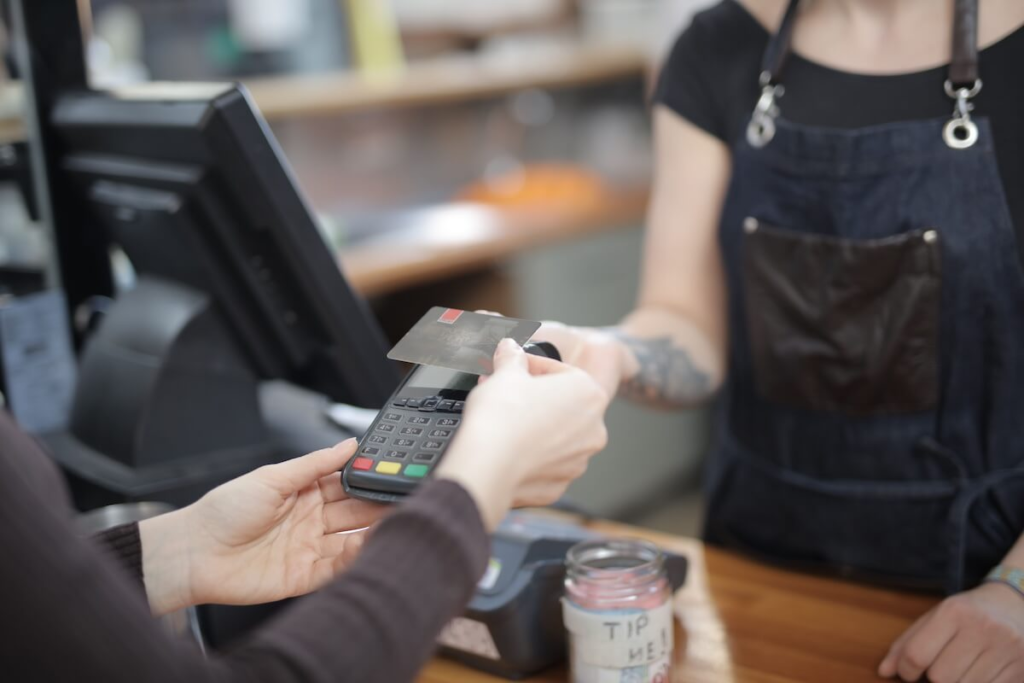
Should You Use a Credit Card or a Debit Card on a Cruise?
Spend ashore on a credit card, not a debit card. If the card is compromised, a credit card puts the bank’s money in dispute while it gets resolved. A debit card puts your own checking account money out of reach until it does.
The protections can look similar on paper, but the experience of waiting on them is very different. That wait happens while you’re traveling, which is exactly when you need access to your own money. Use the debit card for the ATM if you must, and let credit handle the purchases.
Then apply the same rule you’d use for documents: one loss should never take everything. Bring at least two cards, carried separately — one with you ashore, one in the cabin safe. Couples should split issuers if they can, so a single bank’s fraud freeze doesn’t strand you both. The card that goes ashore rides in a front pocket or a zipped bag that stays in front of you — or for documents and cash you’re not actively using, a hidden RFID-blocking money belt worn under your clothes — not a back pocket and not an open tote. That’s not cruise-specific advice; it’s what I’d have told you standing in Times Square.
Do You Still Need to Call Your Bank Before You Travel?
Many major U.S. card issuers no longer accept or need travel notices, because fraud detection now works in real time. Others still recommend them, especially smaller banks and credit unions. Check each card issuer’s current policy a few weeks before you sail, and confirm your contact details are current.
This is advice that used to be gospel and is now, for many travelers, simply outdated. Several of the largest U.S. card issuers dropped travel notifications entirely. Chase, Capital One, Bank of America, and American Express all say — in each institution’s own current published guidance — that you don’t need to tell them you’re traveling; their fraud detection works in real time and doesn’t rely on advance notice. Capital One doesn’t even offer a way to file one anymore.
Citi is the exception worth knowing about: unlike the others, it still actively maintains and promotes a travel notice feature rather than steering customers away from it, and industry sources describe it as one of the few major issuers still recommending the practice for international trips. Smaller banks and credit unions are more likely to expect or require a heads-up too, especially for debit cards.
So the actionable advice isn’t “call your bank” and it isn’t “don’t bother.” It’s this: check your specific issuer’s current policy for each card you’re bringing, a few weeks before you sail. If they’ve dropped notices, the old advice just wastes a planning step. If they still want one, file it.
Three Things Worth More Than a Travel Notice
Either way, the same visit to your bank’s app should accomplish three things that matter more than any travel notice:
- Confirm your phone number and email are current, because that’s how the bank reaches you to verify a flagged charge.
- Turn on transaction alerts.
- Make sure you can log in to the app itself — approving a “was this you?” prompt from your phone is how modern card freezes get resolved in minutes instead of days.
Whether that prompt can reach you at sea is its own problem — the digital half of this guide opens with it.
Cash: A Supporting Player, Not the Star
You need some cash on a cruise. You don’t need a lot, and you definitely don’t need it all in one place.
Cards handle the ship entirely — cruise ships are cashless environments tied to your onboard account — and they handle most port purchases too. One exception: the casino. Ship casinos generally still run on cash, even with everything else onboard flowing through your room card. Some lines let you charge chips straight to your onboard account, but the fine print varies — some charge a fee for it, some waive the fee at higher loyalty tiers, and some don’t charge at all. If you plan to play, check your specific cruise line’s policy before you sail. Cash covers the rest: small vendors, taxis in some ports, tips, the beach chair guy. For that job, think modest and small-denomination. U.S. dollars are widely accepted in the Caribbean cruise ports, and small bills matter because “I can’t change that” is both a real problem and a classic short-change setup.
Carry it the way I’ve always recommended after watching pickpockets work a crowd: split between travelers and locations, never flashed, never counted in the open. A day’s worth in your front pocket, the reserve locked in the cabin safe with the passport. If someone gets your pocket, they get a day’s walking money and nothing else — annoying, survivable, story for later.

The Money Decision That Isn’t About Your Wallet
Trip protection belongs in the financial half too, because it’s ultimately a money decision. If a medical problem, a canceled flight, or an emergency at home collides with your cruise, the financial consequences land somewhere — and travel insurance is the tool that decides where. I’ve written a full, honest breakdown in Do You Really Need Travel Insurance for a Cruise?, including who genuinely doesn’t need it. If you’ve read that and decided coverage makes sense for your situation, RoamRight is the provider I link readers to. Decide early either way — some optional benefits are tied to buying within a window after your first trip payment, so this is a booking-week decision, not a packing-week one.
Keeping Your Phone and Logins Working on a Cruise
Your Phone Plan Comes First
Everything else in this half assumes your phone can do something useful outside U.S. cell coverage, so start here. The short version: a phone that works perfectly at home can rack up shocking charges at sea, or go uselessly silent in port, depending entirely on decisions you make before you leave. I’ve written a complete guide on this — How to Use Your Cell Phone in a Cruise Port Without Surprise Charges — and I’d rather you read it than have me duplicate it badly here. Go read it, pick your approach, and come back. The rest of this section assumes you’ve made that call.
Download and Set Up the Cruise Line’s App Before You Leave
Every major line now runs its cruise through an app: check-in, boarding documents, daily schedules, deck maps, dining reservations, and — on most lines — onboard messaging that lets your travel party find each other without cell service. It’s genuinely useful, and it’s dramatically less useful if you’re trying to download it, create an account, and link your booking over the terminal’s overloaded Wi-Fi on embarkation morning.
So do it at home: download the app, log in, link your booking, complete online check-in the day it opens, and walk through the features once so sailing day isn’t your first look. If you’re cruising with kids old enough to carry a device, set the app up on theirs too — the onboard messaging feature is how a family stays connected on a ship the size of a small city.
How Do You Get Verification Codes on a Cruise With No Cell Service?
Switch your accounts from text-message codes to an authenticator app before you sail. The app generates verification codes directly on your phone without cell service, so they still work over ship Wi-Fi or in airplane mode — the situations where a texted code never arrives at all.
The Login Problem Nobody Plans For
This is the digital blind spot most cruisers never see coming.
Two-factor authentication — the security step where a service texts a code to your phone to confirm it’s really you logging in. It protects your accounts beautifully. Now picture using it from the middle of the Caribbean: you try to log in to your bank from the ship’s Wi-Fi, the bank dutifully texts a code to your phone number, and your phone — with no cell service, or a plan that doesn’t include texting at sea — never receives it. You’re locked out of your own account, by your own security, with everything working exactly as designed.
The fix is choosing, before you travel, a second factor that doesn’t need a cell signal. Most banks and major services let you switch code delivery from text message to an authenticator app — a free app on your phone that generates the codes itself, no signal required, working identically over ship Wi-Fi or airplane mode. Go through the accounts you’d realistically need at sea — bank, email, cruise line — and check what each one uses. Switch what you can to the app method, and know which accounts you simply won’t be able to get into if you’re not already logged in. Then log in to everything important on the devices you’re bringing before you leave, so existing sessions carry you through the trip.
Insider Tip: Test the whole chain at home, in airplane mode. Turn off cellular, join Wi-Fi only, and try logging in to your bank fresh. That’s a rehearsal of exactly what the ship will feel like — and it’s a much better place to discover a locked-out account than a deck chair three days from shore.
Maps, Tracking, and Public Wi-Fi
Three smaller items, each worth about five minutes at home before you sail.
Offline maps. Both major map apps let you download a city’s map to your phone in advance, so navigation works with zero signal. Download every port on your itinerary before you sail — on the home Wi-Fi, where it’s fast and free. Being able to load a map you can actually read is a genuine safety layer in an unfamiliar port, not just a convenience.
Device tracking and location sharing. Turn on your phone’s find-my-device feature and confirm it works before you leave. Families should set up location sharing between phones. A phone left in a taxi in Cozumel is much easier to recover if you can see where it went than if you can’t.
Public Wi-Fi caution. Port terminals, cafés, and beach bars offer free Wi-Fi, and free Wi-Fi run by strangers deserves the same trust as a stranger. Keep sensitive logins — banking especially — off public networks entirely; the ship’s Wi-Fi or your cellular plan are the better paths. Some travelers add a VPN, which encrypts your traffic on networks you don’t control — NordVPN and Surfshark are two widely used examples. A VPN is a reasonable extra layer for people who’ll be working or logging into sensitive accounts from shore networks; for most cruisers, “no banking on beach-bar Wi-Fi” does most of the same job for free.
Charging: The Unglamorous Item That Ends Up Mattering
Cruise cabins are famously short on outlets, and the devices have multiplied faster than the wall plugs. Pack a charging setup deliberately: a multi-port USB charger covers a family’s phones from one outlet, and a cable for every device beats the nightly rotation argument.
One warning that surprises people: check your cruise line’s prohibited items list before packing any power strip — surge-protected strips are prohibited by major cruise lines for fire safety reasons, and confiscated at the terminal. Non-surge, cruise-compliant multi-outlet devices exist; verify against your line’s own list. And pack a small battery bank for port days — a compact 10,000mAh pack covers one or two devices for a solo traveler or couple, while a 50,000mAh pack is worth it for families keeping several phones charged — because a dead phone ashore takes your maps, your tickets, your camera, and your way of contacting the ship down with it.
Two Halves, One Deadline
Everything above sorts into a few calendar moments. The insurance decision happens at booking week. The bank check and app setup happen around 30 days out. Two-factor logins and offline maps belong in the final two weeks. The airplane-mode rehearsal happens in packing week. My 90-day cruise checklist places each task at its milestone so none of it depends on memory. Sorting out verification codes on a cruise with no cell service, and the money prep that comes with it, share a single trait: both are invisible when done right. Nobody comes home talking about the card that worked and the login that succeeded — and that silence is the whole point.
Next Steps
For the in-port version of the fraud picture, read How to Spot a Cruise Port Scam. And for the phone decisions that anchor the digital half, see How to Use Your Cell Phone in a Cruise Port Without Surprise Charges.
Travel safe. Stay charged, keep cruising.
— Rick Hayes, Travel Safety Authority
Need an independent opinion on whether your financial and digital travel setup is the right fit for your travel style? Visit the Work With Rick page to schedule a consulting session. I provide independent safety and travel planning guidance, with no booking commissions or sales incentives.
This article contains affiliate links. If you purchase, book, or make a reservation through a link on this page, I may earn a small commission at no additional cost to you. Affiliate relationships include but are not limited to Amazon Associates, Viator, RoamRight, and other travel and product partners. This does not influence my recommendations — I only link to products, services, and experiences I would genuinely recommend to my own clients. Travel insurance recommendations are provided for informational purposes only. I am not a licensed insurance agent. Please review all policy details carefully before purchasing. See my full Disclaimer for details.
The information in this article is provided for general educational purposes only and reflects the personal experience and professional background of the author. It is not a substitute for professional security consultation or official government travel guidance. Safety conditions at any destination can change rapidly — always verify current advisories at travel.state.gov before your trip. Reliance on any information in this article is at your own risk. This site may contain affiliate links; see the full Disclaimer for details.